




一、组网图
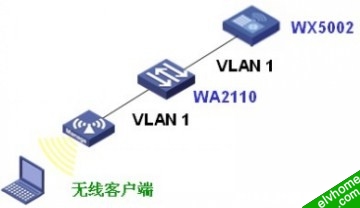
本例中WA2110的序列号为210235A22W0077000088。
SSID的名称为H3C-IPv6。
本例中WA2110和WX5002通过二层网络连接,同时由于WX5002暂不支持IPv6地址池,所以客户端、AP、WX5002都配置静态IPv6地址。
二、WA2110的配置
在WA2110上配置静态IPv6地址2001::22/64,并指定AC地址为2001::11,具体配置如下:
#
 version 5.20, Release 1106
#
 sysname H3C
#
 dns resolve
#
 ipv6
#
 wlan ac ipv6 2001::11
#
vlan 1
#
interface NULL0
#
interface Vlan-interface1
 ipv6 address 2001::22/64
 ip address dhcp-alloc client-identifier mac Vlan-interface1
#
interface Ethernet1/0/1
#
interface WLAN-Radio1/0/1
#
 undo gratuitous-arp-learning enable
#
user-interface con 0
user-interface vty 0 4
 user privilege level 3
 set authentication password simple H3C
#
Return
三、WX5002的配置
 version 5.20, Release 1106P01
#
 sysname H3C
#
 domain default enable system
#
 ipv6
#
vlan 1
#
domain system
 access-limit disable
 state active
 idle-cut disable
 self-service-url disable
#
wlan rrm
 dot11a mandatory-rate 6 12 24
 dot11a supported-rate 9 18 36 48 54
 dot11b mandatory-rate 1 2
 dot11b supported-rate 5.5 11
 dot11g mandatory-rate 1 2 5.5 11
 dot11g supported-rate 6 9 12 18 24 36 48 54
#
wlan service-template 2 clear
 ssid H3C-IPv6
 bind WLAN-ESS 2
 authentication-method open-system
 service-template enable
#
interface NULL0
#
interface Vlan-interface1
 ipv6 address 2001::11/64
#
interface GigabitEthernet1/0/1
#
interface GigabitEthernet1/0/2
#
interface M-Ethernet1/0/1
#
interface WLAN-ESS2
#
wlan ap ap1 model WA2100
 serial-id 210235A22W0077000088
 radio 1
  service-template 2
  radio enable
#
user-interface aux 0
user-interface vty 0 4
#
return
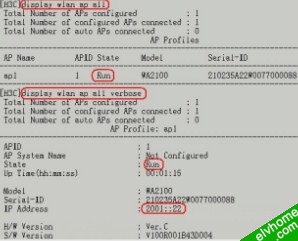
此时在WX5002上可以查看到WA2110以IP地址在AC上注册成功,如下所示:
四、客户端的配置
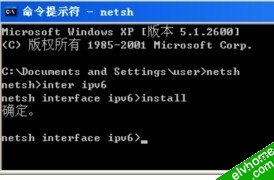
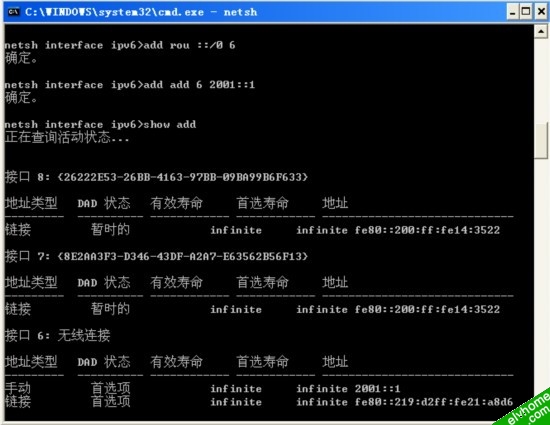
1、安装IPv6
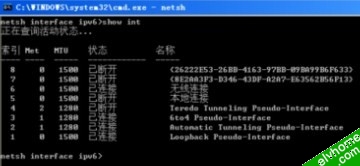
2、查询各接口索引,可看到在本例中“无线连接”的索引为6
3、配置客户端静态IPv6地址为2001::1,并查询配置确定配置成功。
4、选择连接SSID“H3C-IPv6”,此时客户端可ping通AC和AP的IPv6地址2001::11和2001::22。
补充说明:
此时Windows无线客户端提示无法获取地址,此时正常现象,因为Windows客户端目前的提示信息是基于IPv4的。
